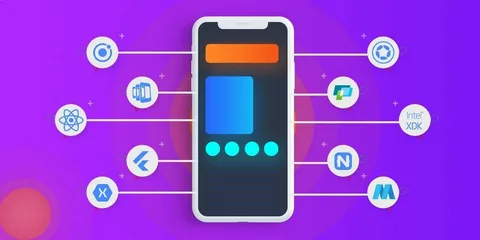
How mobile applications work.
How Mobile Applications Work
Mobile applications, or apps, are software programs designed to run on smartphones, tablets, and other mobile devices. They have become an essential part of modern life, providing services ranging from communication and entertainment to productivity and finance. Understanding how mobile apps work involves looking at their architecture, development process, and key components.
▌ Types of Mobile Applications
There are three main types of mobile apps:
- Native Apps: Built specifically for a single platform (iOS or Android) using platform-specific languages like Swift or Kotlin. They offer the best performance and access to device features.
- Web Apps: Mobile-optimized websites accessed through a browser. They don’t require installation but may have limited functionality.
- Hybrid Apps: Combine web and native technologies, allowing developers to write code once and deploy it across multiple platforms using frameworks like React Native or Flutter.
▌ Key Components of Mobile Applications
A typical mobile app consists of several interconnected parts:
- User Interface (UI/UX): The visual and interactive elements that users see and interact with. Good design is crucial for user satisfaction.
- Backend (Server & Database): Handles data storage, user authentication, and business logic. The app communicates with the backend via APIs.
- APIs and Integrations: Allow the app to connect with external services (e.g., social media, payment gateways, maps).
- Push Notifications: Enable real-time communication with users, increasing engagement.
- Security Features: Include data encryption, secure authentication, and protection against cyber threats.
▌ How Mobile Applications Function
- Installation and Launch: Users download apps from stores like Google Play or Apple App Store. The app is installed on the device’s storage.
- User Interaction: The UI responds to user inputs, sending requests to the backend or local storage.
- Data Exchange: If needed, the app connects to the internet to fetch or send data via APIs.
- Local Storage: Some data is stored on the device for offline access and faster performance.
- Updates and Maintenance: Developers release updates to fix bugs, add features, and improve security.
▌ The Mobile App Development Process
Creating a mobile app involves several stages:
- Planning and Ideation: Defining the app’s purpose, target audience, and core features.
- Design: Creating wireframes and prototypes for the UI/UX.
- Development: Writing code using appropriate programming languages and frameworks.
- Testing: Checking for bugs, performance issues, and security vulnerabilities.
- Deployment: Publishing the app on app stores and ensuring compliance with guidelines.
- Post-Launch Support: Gathering user feedback and releasing updates.
▌ Why Mobile Applications Are Important
Mobile apps offer numerous benefits:
- Convenience: Quick access to services from anywhere.
- Personalization: Tailored experiences based on user preferences.
- Offline Access: Many apps can function without an internet connection.
- Business Growth: Apps help companies engage customers, collect data, and generate revenue.
In summary, mobile applications are complex yet user-friendly systems that combine design, coding, networking, and security to deliver powerful digital experiences. Their continuous evolution shapes how we interact with technology every day.